 EN
EN


Brand
:
Robotistan
Product Code
:
11667
Out Of Stock
Notify me when its in stock
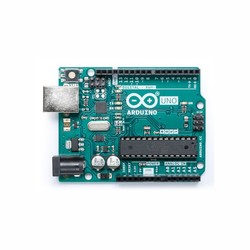
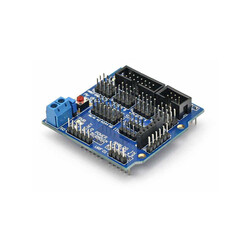
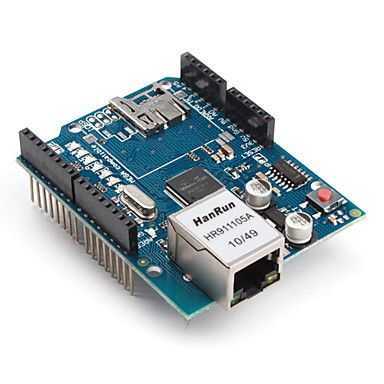
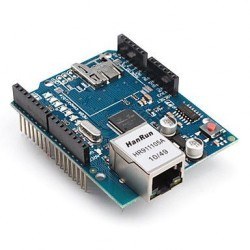
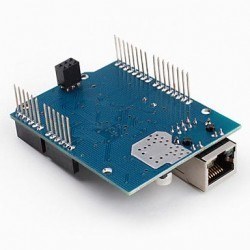
The Wiznet W5100 Ethernet Shield for Arduino is a highly practical expansion board prepared and manufactured based on the original open-source hardware schematics.
It is fully compatible physically and software-wise with the original model; all libraries and codes prepared for it can be run seamlessly on this compatible shield.
By using this hardware, you can connect your development board to your local network or the internet in just a few minutes.
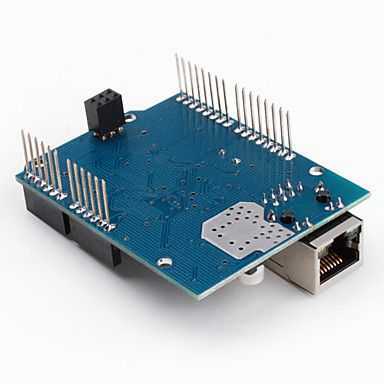
Place the module directly on your board, plug a standard RJ45 network cable into the socket on the shield, and follow the library steps to start controlling your projects over the internet.
The Wiznet W5100 Ethernet Shield makes your hardware projects globally manageable (IoT).
Based on the Wiznet W5100 IC, this board is compatible with both TCP and UDP protocols and supports up to 4 simultaneous sockets (connections).
After completing the connection, you can quickly move your projects to the internet with the Arduino® Ethernet Library Guide.
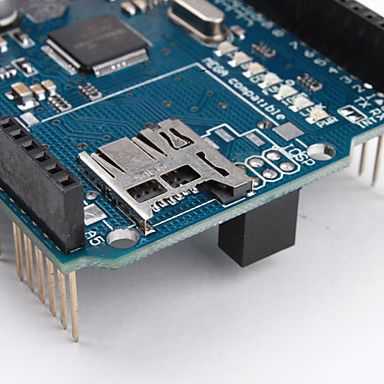
There is also a standard micro SD card slot on the shield. You can directly write and read data coming over the network, sensor measurements, or files required for a web server onto the SD card.
For this, you can review the official Arduino® SD Library Guide. The hardware pin (SS/CS) selected for the communication of the SD card module is pin 4.
Your microcontroller board communicates with the Wiznet W5100 Ethernet Shield IC and the SD card reader simultaneously over the SPI line.
While the communication pins are 11, 12, and 13 on the original Arduino® UNO R3; they are pins 50, 51, and 52 on the original Arduino® Mega 2560 R3.
In both development board models, pin 10 is commonly assigned as the hardware selection (SS/CS) pin for the W5100, and pin 4 for the SD card. These specified pins cannot be used as general input/output (I/O) pins as long as the shield is used.
Additionally, on the Mega hardware, even if the actual hardware SS pin (pin 53) is not actively used for the SD card or W5100, it must be defined as an output pin (OUTPUT) in the software for the hardware SPI line to work correctly.
One of the most important technical details to remember is that because the Wiznet W5100 Ethernet Shield IC and the SD card use the same SPI line, only one can be active at a time.
If both communications are to work in a common program, extra care must be taken regarding library compatibility in the software.
If you are not going to use either the SD card or the W5100 hardware, you need to deactivate the unused part at the beginning of your code:
To deactivate the SD card, you must define digital pin 4 as an output and send a HIGH (5V) signal from this pin. To deactivate the W5100, you must set digital pin 10 as an output and again provide a HIGH (5V) signal.
If you are unfamiliar with the Arduino® ecosystem, you can check out our Lessons for Arduino® series on our blog.