Mega 2560 R3 Development Board Compatible with Arduino
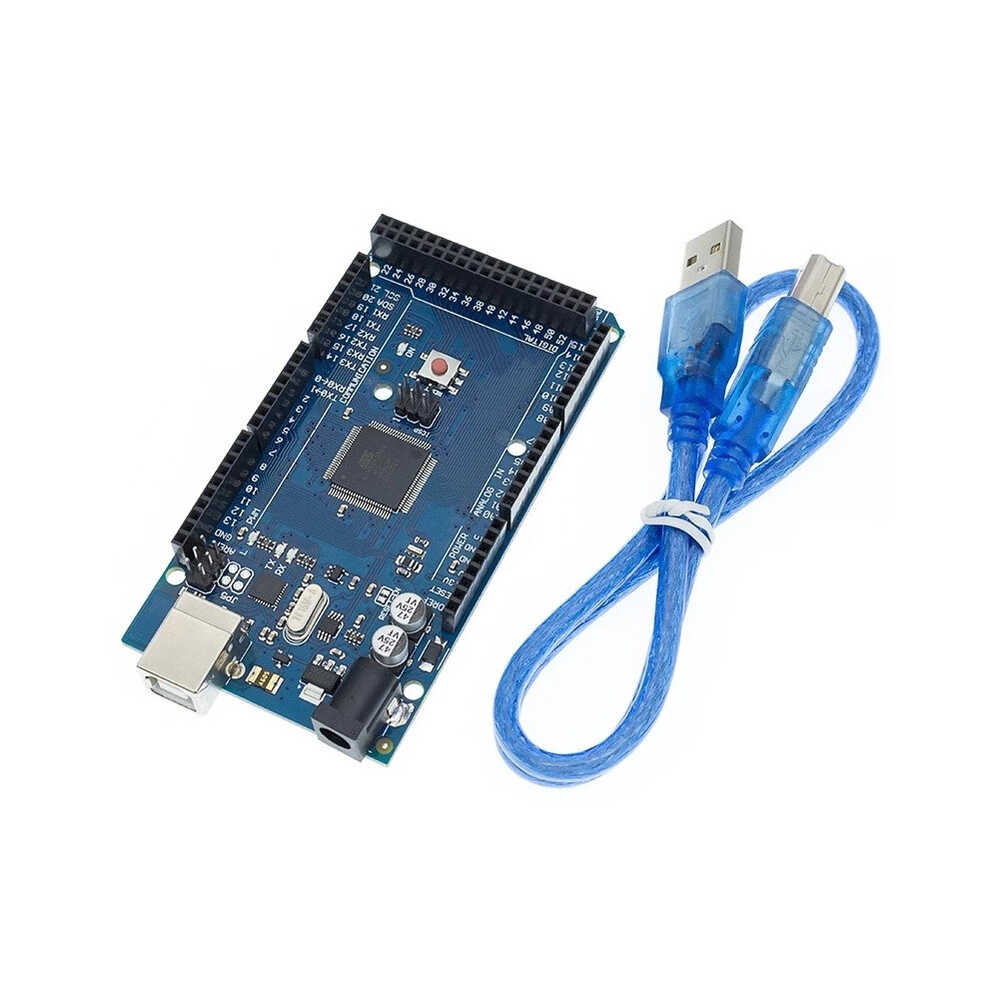
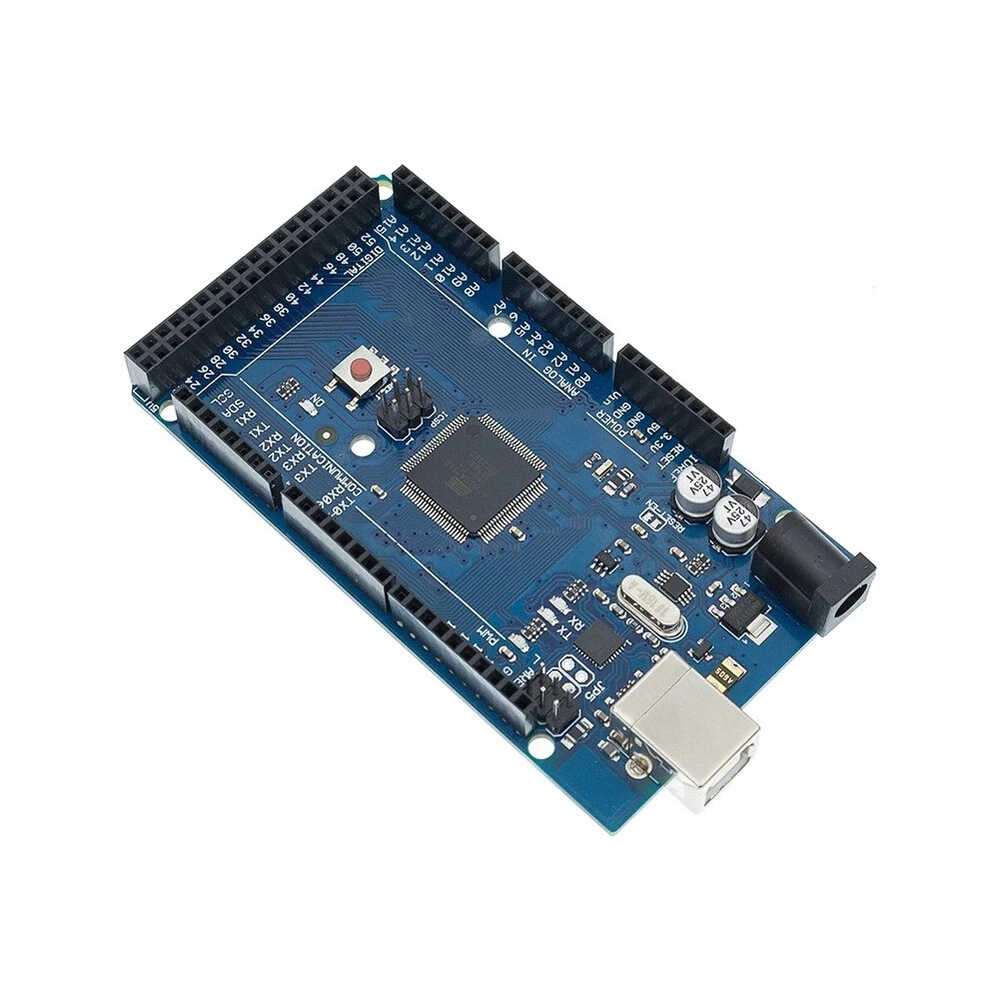
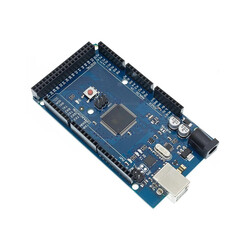
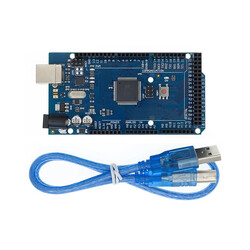
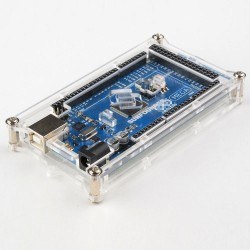
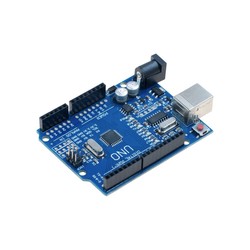
The Mega 2560 R3 Development board compatible with Arduino, based on the Arduino® Mega 2560 design, is an ATmega2560 based microcontroller board. The product also includes a USB cable for computer connection.
As Robotistan, we always recommend using original products. You can review the Original Arduino® Mega 2560 page.
Mega 2560 R3 Development Board Compatible with Arduino Package Contents:
Mega 2560 R3 Development Board Compatible with Arduino
Micro USB Cable
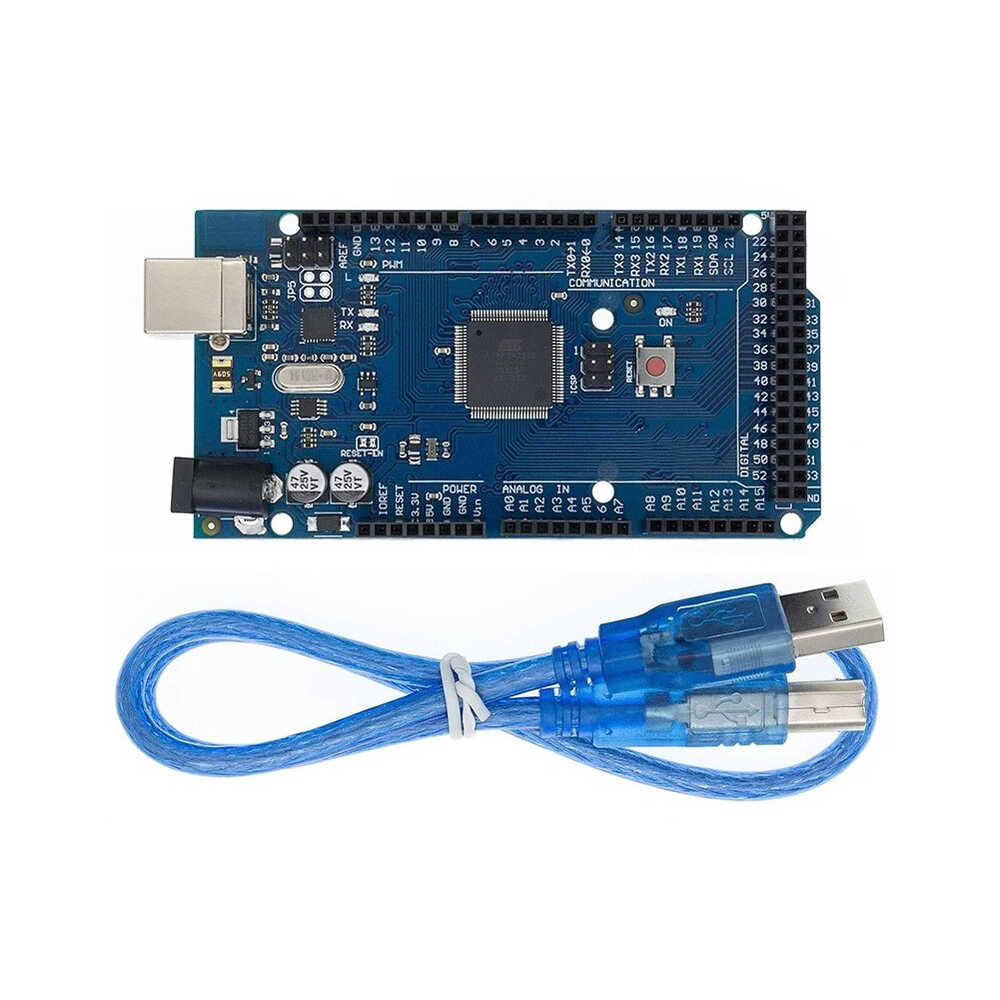
The Mega 2560 R3 development board is an ATmega2560 based microcontroller board. It features 54 digital input/output pins (15 of which can be used as PWM outputs), 16 analog inputs, 4 UARTs (hardware serial ports), a 16MHz crystal, a USB socket, a power jack, an ICSP header, and a reset button. The board contains everything needed to support the microcontroller. It can easily be connected to a computer with a USB cable, or powered with an adapter or battery.
The board features an ATmega16u2 (Rev 2 had an ATmega8u2) USB-to-serial converter for uploading programs and communicating with the computer.
Many innovations have been made on the Rev 3 version of the compatible board compared to the Rev 2 version to provide ease of use and more stable operation. You can review the historical development of Arduino® boards on the hardware development index of Arduino® boards.
Mega 2560 R3 Development Board Compatible with Arduino Technical Specifications:
Microcontroller ATmega2560
Operating Voltage 5V
Input Voltage (recommended) 7-12V
Input Voltage (limits) 6-20V
Digital I/O Pins 54 (15 provide PWM output)
Analog Input Pins 16
DC Current per I/O Pin 40 mA
DC Current for 3.3V Pin 50 mA
Flash Memory 256 KB (ATmega2560) of which 8 KB used by bootloader
SRAM 8 KB (ATmega2560)
EEPROM 4 KB (ATmega2560)
Clock Speed 16 MHz
Length 101.6 mm
Width 53.4 mm
Weight 36 g
Power:
The Mega 2560 R3 development board compatible with Arduino can be powered via USB or with an external power supply. The external power supply can be an AC-to-DC adapter or a battery. The adapter can be connected via the 2.1mm center-positive power jack on the board. The battery can be connected via the GND and Vin pins on the board.
The USB does not have to be constantly connected for the board to operate. The board can be powered only with an adapter or battery. This allows the board to operate independently of the computer.
An external power supply of 6-20V can be used. However, these are limit values. The recommended external power for the board is 7-12V. Because the regulator on the board may not operate stably at values below 7V. It may also overheat at values above 12V.
The operating voltage of the microcontroller on the Mega 2560 development board is 5V. The 7-12V voltage supplied via the Vin pin or power jack is stepped down to 5V by the voltage regulator on the board and distributed to the board.
The power pins are as follows:
VIN: The input voltage pin for 7-12V when using an external power source.
5V: This pin outputs the 5V from the regulator. If the board is only running over USB (5V), the 5V coming over the USB is directly given as output via this pin. If power is supplied to the board via Vin (7-12V) or the power jack (7-12V), the 5V coming out of the regulator is directly given as output via this pin.
3V3: This is the output pin of the 3.3V regulator located on the board. It can output a max of 50mA.
GND: Ground pins.
Memory:
The ATmega2560 has 256 KB of flash memory (of which 8 KB is used by the bootloader). It has 8 KB of SRAM and 4 KB of EEPROM.
Input and Output:
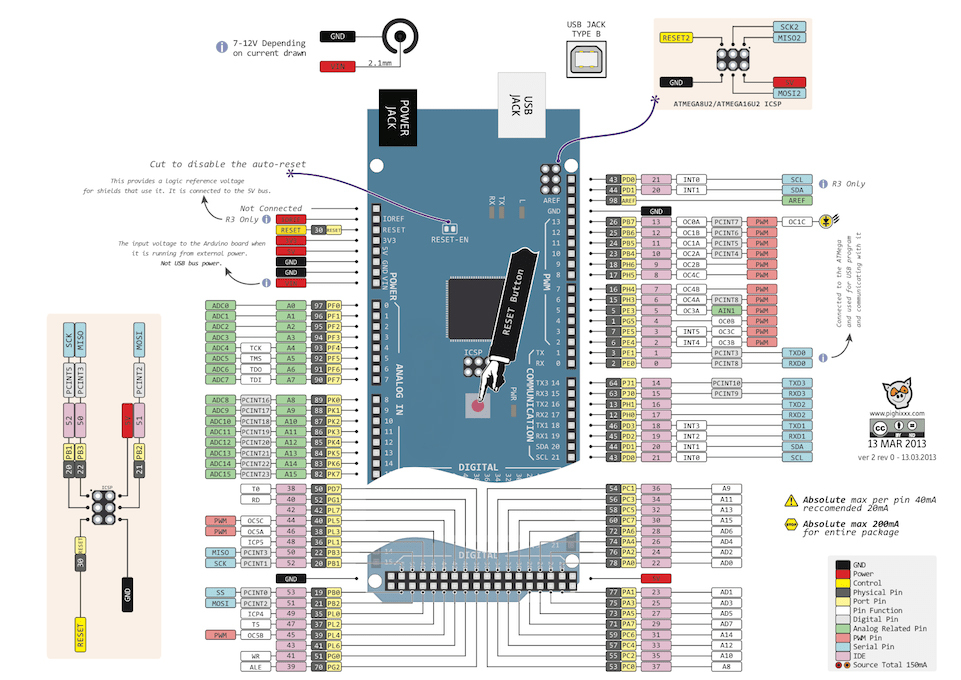
All 54 digital pins on the board can be used as an input or output. There are also 16 analog input pins. These analog input pins can likewise be used as digital inputs and outputs. So there are a total of 70 digital input/output pins on the board. The logic level of all these pins is 5V. Each pin operates with a max input and output current of 40mA. In addition, some pins have different features. The special pins are as indicated below.
Serial Communication, Serial: 0 (RX) and 1 (TX), Serial1: 19 (RX) and 18 (TX), Serial2: 17 (RX) and 16 (TX), Serial3: 15 (RX) and 14 (TX) : Used to receive (RX) and transmit (TX) TTLserial data. Pins 0 and 1 are directly connected to the ATmega16u2 USB-to-serial converter on the board. In other words, these pins are also used when uploading code from the computer to the board or when there is mutual communication between the computer and the board. Therefore, to avoid errors when uploading code to the board or communicating, it is beneficial not to use these pins unless necessary.
External Interrupts, 2 (interrupt 0), 3 (interrupt 1), 18 (interrupt 5), 19 (interrupt 4), 20 (interrupt 3), 21 (interrupt 2): These pins can be configured to trigger an interrupt on a rising edge, falling edge, or a change in value. For detailed information, you can review theattachInterrupt() function page.
PWM, 2-13 and 44-46: Can be used as PWM output pins with 8-bit resolution.
SPI, 53 (SS), 51 (MOSI), 50 (MISO), 52 (SCK): These pins are used for SPI communication.
LED, 13: There is a built-in LED connected to digital pin 13 on the board. When the pin is HIGH, the LED turns on; when LOW, it turns off.
Analog, A0-A15: The development board has 16 analog input pins with 10-bit resolution. These pins can also be used for digital input and output. The measurement range of the pins is 0-5V. By using the AREF pin and the analogReference() function, the lower limit can be raised and the upper limit can be lowered.
I2C, pin 20 or SDA and pin 21 or SCL: These pins are used for I2C communication.
AREF: Reference voltage pin for the analog inputs.
Reset: Bring this pin LOW to reset the microcontroller. The reset operation can also be done with the Reset Button on the board.
You can review the pin mapping page between the Mega 2560 R3 development board and the ATmega2560.
Click to learn about the Mega compatible sensor shield that works compatibly with the product and allows you to connect various sensors.
Communication:
The Mega 2560 R3 development board compatible with Arduino has several different options for communicating with a computer, another microcontroller board, or an Arduino® board. The ATmega2560 provides 4 hardware UART TTL (5V) serial communication ports. The ATmega16u2 USB-to-serial converter on the board also opens a virtual com port on the computer and establishes a bridge between the ATmega2560 and the computer. The Arduino® Software allows text-based information to be sent and received between the board and the computer with the serial monitor it contains. The RX and TX LEDs on the board will flash when data is being transmitted via the USB between the USB-to-serial converter and the computer.
The board has 4 hardware serial ports. However, this number can be increased via software with the SoftwareSerial library.
The ATmega2560 also provides I2C and SPI ports. The Wire library that comes with the Arduino® IDE is used for I2C use, and the SPI library is used to provide SPI communication.
Programming:
The Mega 2560 R3 development board compatible with Arduino is programmed with the Arduino® Software (Arduino® IDE). In the program, you can select Arduino® Mega 2560 under the Tools > Board tab and start programming. For detailed information, you can review the reference and basic functions tutorials page. The ATmega2560 on the board comes preburned with a special software called a bootloader. This way, you don't need to use an extra programmer when programming the board. Communication is provided by the original STK500 communication protocol.
Like the bootloader software, the source firmware inside the ATmega16u2 is also open source. This firmware is also called the DFU bootloader. This firmware can be reloaded using Atmel's FLIP software (Windows) or the DFU programmer (Mac OS X and Linux). Or, like the ATmega2560, the 16u2 can also be programmed with an ISP programmer. The firmwares in both the ATmega2560 and the 16u2 are always sent in their most up-to-date form. So unless necessary, you do not need to change these firmwares.
USB Overcurrent Protection:
The resettable polyfuse on the Mega 2560 R3 development board compatible with Arduino protects the computer's USB port from short circuits or overcurrent consumption situations. When the board draws more than 500mA from the computer USB port, it automatically cuts the power it receives from the USB for protection. When the overcurrent situation or short circuit is removed, the fuse returns to normal and the connection is re-established.
If you are unfamiliar with the Arduino® ecosystem, you can check out our Lessons for Arduino® series on our blog.
If you are unsure which development board to choose, you can write to us via the contact form.
Warranty
0
11604
Mega 2560 R3 Development Board Compatible with Arduino

 EN
EN