
 TR
TR


-
{{ CAT. NAME }}
{{ FILTERS.VARIANTS.TYPE1_NAME }}
{{ FILTERS.VARIANTS.TYPE2_NAME }}
Marka
Model
{{ FILTER.NAME }}
Fiyat
AVR Mikrodenetleyici Kartları ve Modelleri
Giyilebilir e-tekstil ürünlerinden parmak ucu boyutundaki kompakt sistemlere kadar, 8-bit AVR mimarisinin kararlılığını sunan özel tasarım geliştirme kartlarını keşfedin.
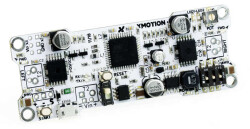
8-Bit Dünyasının Efsanesi: AVR Mimarisi
Günümüzde açık kaynaklı elektronik prototipleme dünyasının temelini, Atmel yani günümüzde Microchip tarafından geliştirilen AVR mikrodenetleyiciler oluşturur.
8-bit RISC mimarisine sahip bu çipler; düşük güç tüketimleri, anlık tepki süreleri ve donanımsal kararlılıkları ile bilinir.
Hangi AVR Kartını Seçmelisiniz?
1. Giyilebilir Teknoloji ve E-Tekstil: LilyPad Uyumlu Kartlar
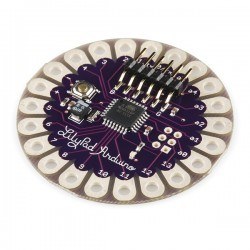
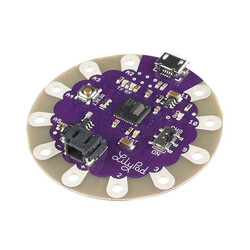
Elektroniği kumaşla buluşturmak istiyorsanız, yuvarlak hatlara ve geniş bağlantı deliklerine sahip LilyPad uyumlu kartlar sizin için uygun bir seçenektir.
ATmega328P veya ATmega32U4 işlemcilerinden güç alan kartlar, breadboard veya lehim yerine iletken iplikler kullanılarak kıyafetlere dikilir.
Işıklı ceketler, akıllı eldivenler veya nabız ölçen sporcu tişörtleri yapmak için güçlü bir temel oluştururlar.
2. Ekstra Kompakt Sistemler: ATtiny85 Tabanlı Kartlar
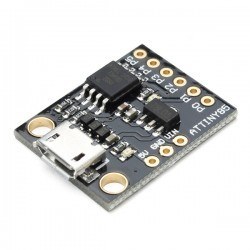
Projenizde standart bir geliştirme kartı kullanmak fiziksel olarak mümkün değilse, örneğin bir yüzük veya mini anahtarlık tasarlıyorsanız, ATtiny85 tabanlı geliştirme kartları devreye girer.
Sadece bir USB portu genişliğinde olan bu kartlar, 8 pinli yapılarına rağmen dijital/analog okuma yapabilir ve I2C/SPI protokollerini destekleyebilir.
3. Özelleştirilmiş Eğitim Ekosistemleri: TinyLab ve mCore
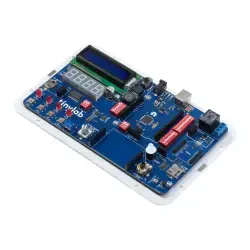
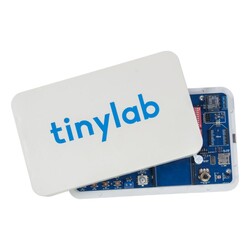
Kablo karmaşası olmadan, tüm sensörlerin tek bir kart üzerinde toplandığı TinyLab gibi AVR tabanlı özel geliştirme platformları özellikle kodlama sınıfları için kullanışlıdır.
Eğitime hızlı bir giriş yapmak ve farklı donanım kombinasyonlarını denemek isterseniz Arduino Tabanlı Setler kategorimize de göz atabilirsiniz.
AVR Modelleri Karşılaştırma Rehberi
Projenizin fiziksel kısıtlamalarına ve pin ihtiyacına göre en uygun modeli seçmek için aşağıdaki tabloyu inceleyebilirsiniz:
| Donanım Modeli | Çekirdek Çipi | Öne Çıkan UX Özelliği | İdeal Kullanım Alanı |
| ATtiny85 Geliştirme Kartı | ATtiny85, 8-bit | Doğrudan USB'ye takılabilme, mini boyut | Yer kısıtı olan basit projeler |
| LilyPad, ATmega328P | ATmega328P, 8-bit | İletken iplikle dikilebilir geniş padler | E-tekstil, akıllı kıyafetler |
| LilyPad USB, ATmega32U4 | ATmega32U4, 8-bit | Dahili USB haberleşme, klavye/mouse simülasyonu | Giyilebilir HID cihazları |
| TinyLab Maker Board | ATmega328P, 8-bit | Tüm sensörlerin tek kartta birleşmesi | Kodlama eğitimi, kablosuz Ar-Ge |
Robotistan ile Sorunsuz Prototipleme
Özellikle ATtiny85 ve LilyPad gibi niş AVR kartlarıyla çalışmak, standart kartlara göre farklı donanımsal bilgiler gerektirir.
Robotistan olarak en sık yaşanan kullanıcı sorunlarını önden çözmeye yardımcı oluyoruz:
- Sürücü desteği: Piyasada ATtiny85 tabanlı kartları alan birçok kullanıcı, bilgisayarlarının kartı görmemesi sorunuyla karşılaşır.
Blog sayfamızdaki Digispark ATtiny85 Driver Kurulum Rehberi ile bu süreci kısa sürede tamamlamanıza yardımcı oluyoruz. - Doğru ekosistem: LilyPad kartınızla e-tekstil projesi yaparken standart sensörler kullanılamaz.
Kıyafetlerinize dikebileceğiniz yıkanabilir ve özel padlere sahip giyilebilir modülleri Arduino için Sensör / Modül kategorimizden güvenle temin edebilirsiniz.
Sıkça Sorulan Sorular
LilyPad tabanlı akıllı kıyafetler yıkanabilir mi?
Evet, teknik olarak mümkündür. LilyPad kartları ve iletken iplikler elde nazikçe yıkanmaya uygundur. Ancak yıkama işleminden önce pile veya bataryaya giden gücü kesinlikle devreden çıkarmalı ve kart tamamen kurumadan, kısa devre riskini önlemek için sisteme tekrar güç vermemelisiniz.
ATtiny85 kartını Arduino IDE ile nasıl programlarım?
ATtiny85 kartları Arduino IDE üzerinden C++ ile programlanabilir. Bunun için IDE'nin Kart Yöneticisi bölümüne Digistump/ATtiny paketinin URL'sini ekleyip indirmeniz ve ilk kullanımdan önce bilgisayarınıza kartın sürücüsünü kurmanız yeterlidir. Ürün sayfalarımızda ilgili linkler mevcuttur.
ATmega328P ile ATmega32U4 arasındaki fark nedir?
Her iki çip de AVR mimarisine sahip 8-bit işlemcilerdir. En büyük fark, ATmega32U4 çipinin kendi içerisinde dahili bir USB haberleşme donanımı barındırmasıdır. Bu sayede 32U4 tabanlı bir kart, örneğin LilyPad USB, bilgisayara bağlandığında kendisini klavye veya mouse gibi bir HID cihazı olarak tanıtabilir.